 August 7, 2026 · 9 min read · by Tony
TV & Picture mounting is a specialized installation method designed to integrate a television into a home’s interior decor by making the screen indistinguishable from framed artwork. This process typically involves using a flush-mount system, a matte-finish display, and customizable frames to transform a functional electronic device into a digital canvas. The trend is primarily driven by products like Samsung The Frame TV, which utilizes a Picture Frame aesthetic to eliminate the “black box” effect common in traditional living room setups.
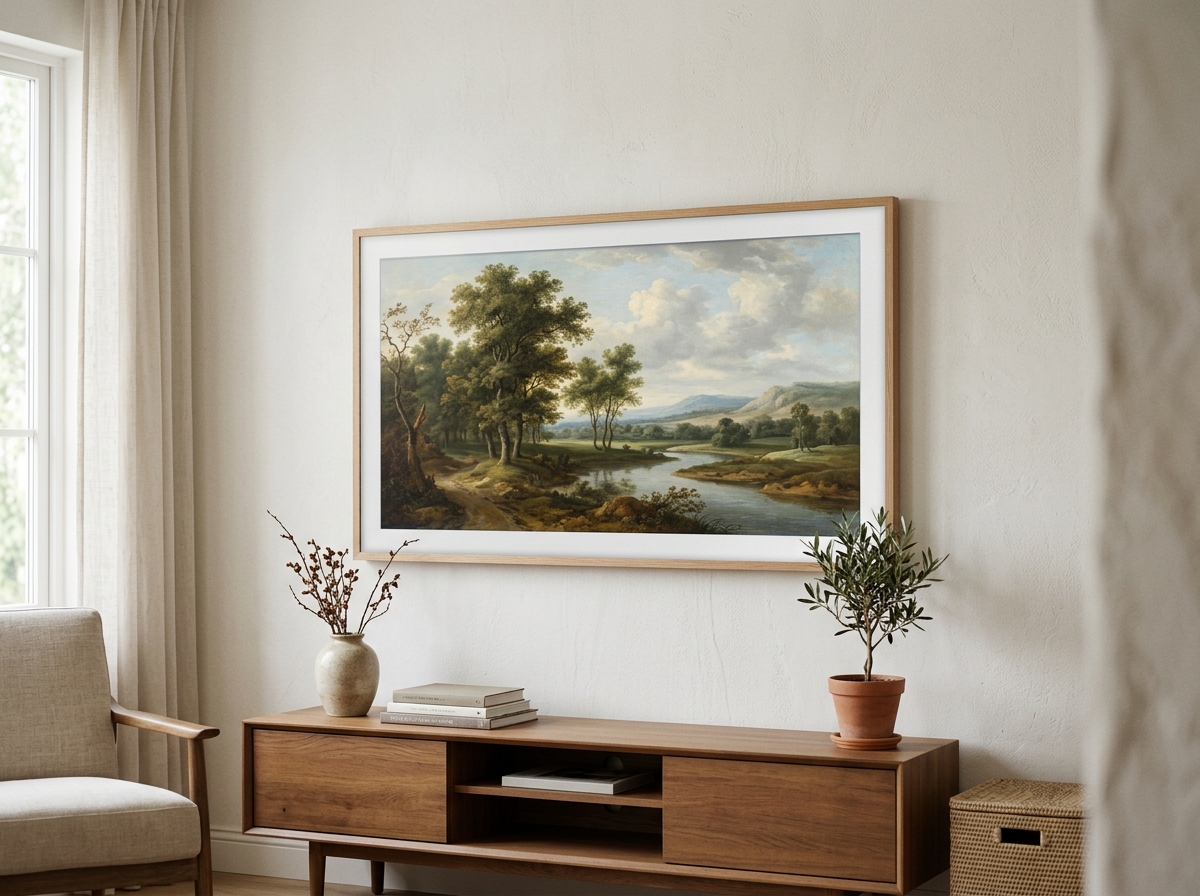
By blending high-end technology with traditional gallery standards, homeowners can now curate a digital gallery that displays personal photography or world-class art when the TV is not in active use. Achieving this look requires a combination of specific hardware, such as the Slim Fit Wall Mount, and software features like Art Mode, ensuring the device sits tight against the drywall with no visible gaps or dangling wires.
Main Takeaways:
- TV & Picture mounting fuses interior design with technology to hide the screen in plain sight.
- The system relies on Art Mode and matte screens to mimic the texture of real paper or canvas.
- Professional installation focuses on a Flush Mount finish and hidden cable management via a One Connect Box.
- Standard gallery hanging height (57–65 inches to the center) is essential for the “art” illusion.
The Core Components: What Makes a TV Look Like a Picture?
A TV looks like a picture through the combination of a specialized Matte Display, Customizable Bezels, and dedicated software. Unlike standard glossy screens that reflect living room lights, the matte finish on modern lifestyle TVs features an anti-reflective texture that mimics the surface of a physical painting. When Art Mode is activated, the Samsung The Frame TV adjusts its brightness based on the room’s ambient light, ensuring the digital gallery looks natural rather than backlit.
| Feature | Standard 4K TV | Samsung The Frame (Picture Mounted) |
|---|---|---|
| Screen Surface | Glossy / Reflective | Matte / Anti-glare |
| Frame Style | Plastic/Metal Thin Bezel | Customizable Bezels (Teak, White, Gold) |
| Off-State | Black Screen | Art Mode (3,000+ Artworks) |
| Wall Gap | 1–3 inches | Zero Gap (Flush) |
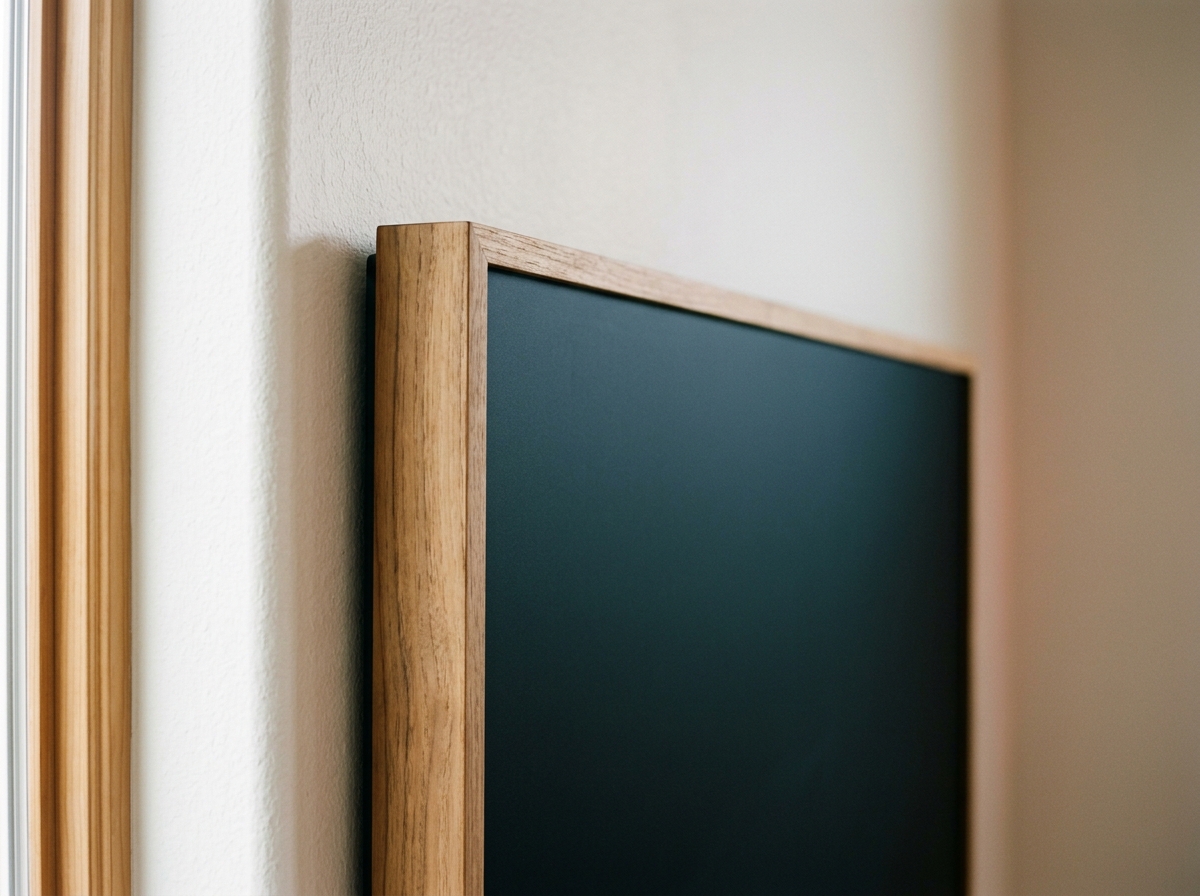
The aesthetic is completed by magnetic bezels that snap onto the edges of the display. These bezels are available in various finishes like modern white, teak, and brown, allowing the unit to match existing furniture. It is important to note that while the larger models feature full 4K capabilities, the 32-inch model lacks certain 4K and motion sensor features found in the 43-inch to 85-inch range.
Installation Hardware: Slim Fit Mounts vs. Specialized Brackets
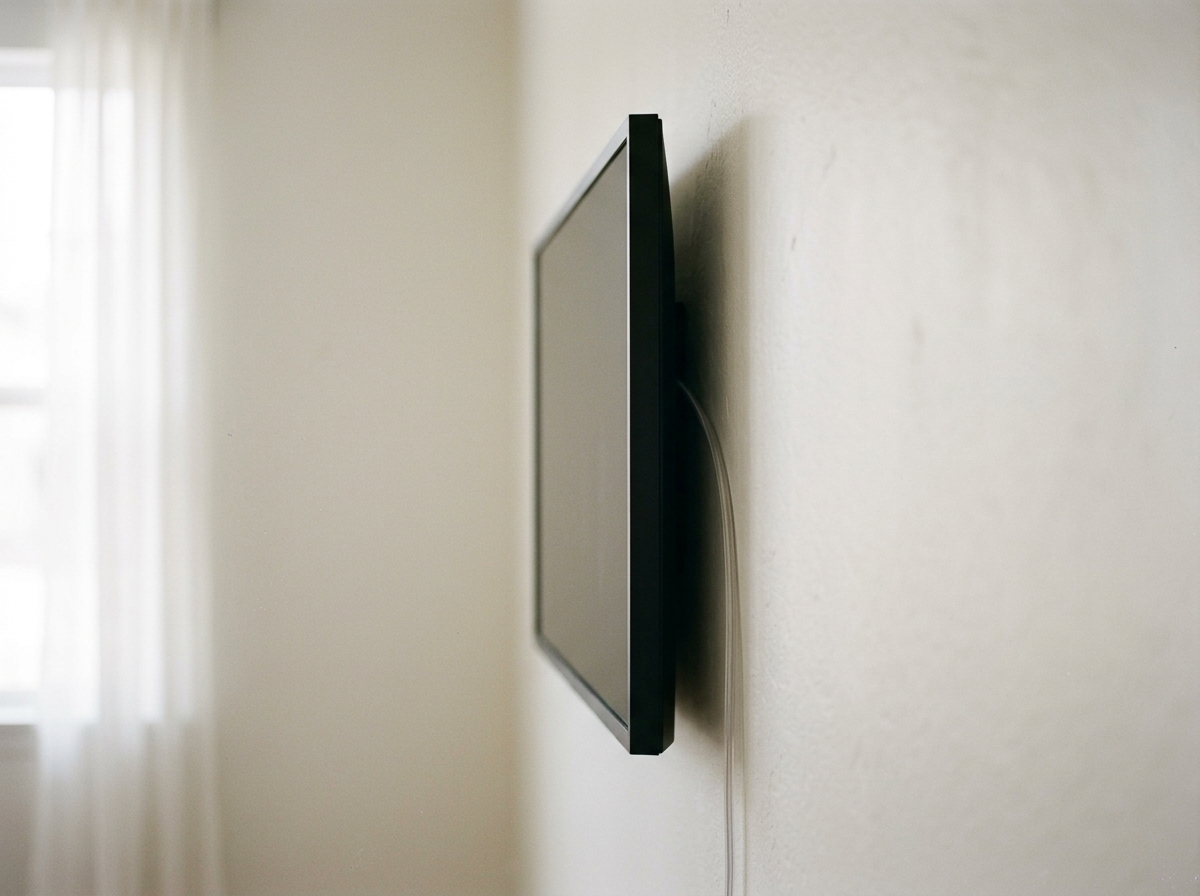
Achieving a true “picture” look requires hardware that enables a Flush Mount, leaving virtually no space between the device and the wall. The Slim Fit Wall Mount (formerly known as the No-Gap Wall Mount) is the industry standard for this, as it is recessed into the back of the TV, allowing the unit to sit just over an inch thick against the drywall. While standard VESA mounts are functional, they often leave a 2- to 3-inch gap that ruins the illusion of a traditional Picture Frame.
For more complex installations, third-party solutions provide additional functionality. A Bracket Adapter Plate can be used to mount these specialized screens to articulated arms, though this often increases the profile. If the TV must be placed high, such as above a fireplace, a Drop Down TV Lift or a MantelMount system allows the screen to be pulled down to a comfortable viewing height during movie nights and tucked back into the “art position” afterward. Keep in mind that a 65-inch TV with a custom art cover can weigh approximately 85 lbs, so using high-quality wall anchors or securing directly into studs is non-negotiable for safety.
Invisible Connectivity and Cable Management
Invisible connectivity is achieved by separating the TV’s “brains” from the panel, using a system like the One Connect Box. Instead of plugging multiple HDMI cables and power cords directly into the back of the screen, a single One Invisible Connection cable—which is only 5mm thick—carries both power and data. This allows the installer to hide all peripheral devices, such as gaming consoles or cable boxes, in a media cabinet up to 15 feet away.
To achieve a perfectly flat finish, experts often install a Recessed Back Box behind the mounting point. This in-wall cable management solution provides a cavity for the One Connect Box or the excess 5mm cable to sit inside the wall. By eliminating the need for a standard bulky outlet directly behind the screen, the TV can sit tight against the wall, maintaining the gallery aesthetic. This clean look is what truly separates professional TV & Picture mounting from a standard DIY wall mount job.
Art Store Economics and Screen Calibration
Managing a digital gallery involves choosing between the official Art Store subscription or manual uploads via the SmartThings App. The Samsung Art Store provides access to over 3,000 pieces of curated artwork from world-renowned museums, though many users prefer to upload personal photography. When uploading your own files, it is vital to apply digital “mats”—borders that simulate the cardboard matting found in traditional framing—to enhance the realism.
Calibration is the final step in the mounting process. Using the SmartThings App, you can calibrate the screen’s color temperature to match the specific paint color of your walls. This prevents the “glow” that often gives away a digital screen. By adjusting the brightness to match the room’s ambient lighting, the QLED display loses its digital sheen and begins to look like physical pigments on a matte surface.
The Gallery Wall: Professional Heights and Spacing
Integrating a TV into a Gallery Wall requires adhering to the “57-inch rule,” which is the standard Viewing Height used by art galleries worldwide. This rule dictates that the center of the artwork (or the TV screen) should be approximately 57 to 65 inches from the floor. Mounting the TV at this height ensures it aligns perfectly with other framed pieces, preventing it from looking like a misplaced piece of technology.
- Spacing: Maintain 2 to 3 inches of space between the TV frame and adjacent picture frames.
- Planning: Use paper templates to mock up the layout on the wall before drilling any holes.
- Composition: Mix different frame sizes and orientations (landscape and portrait) around the TV to distract the eye from the screen’s rectangular shape.
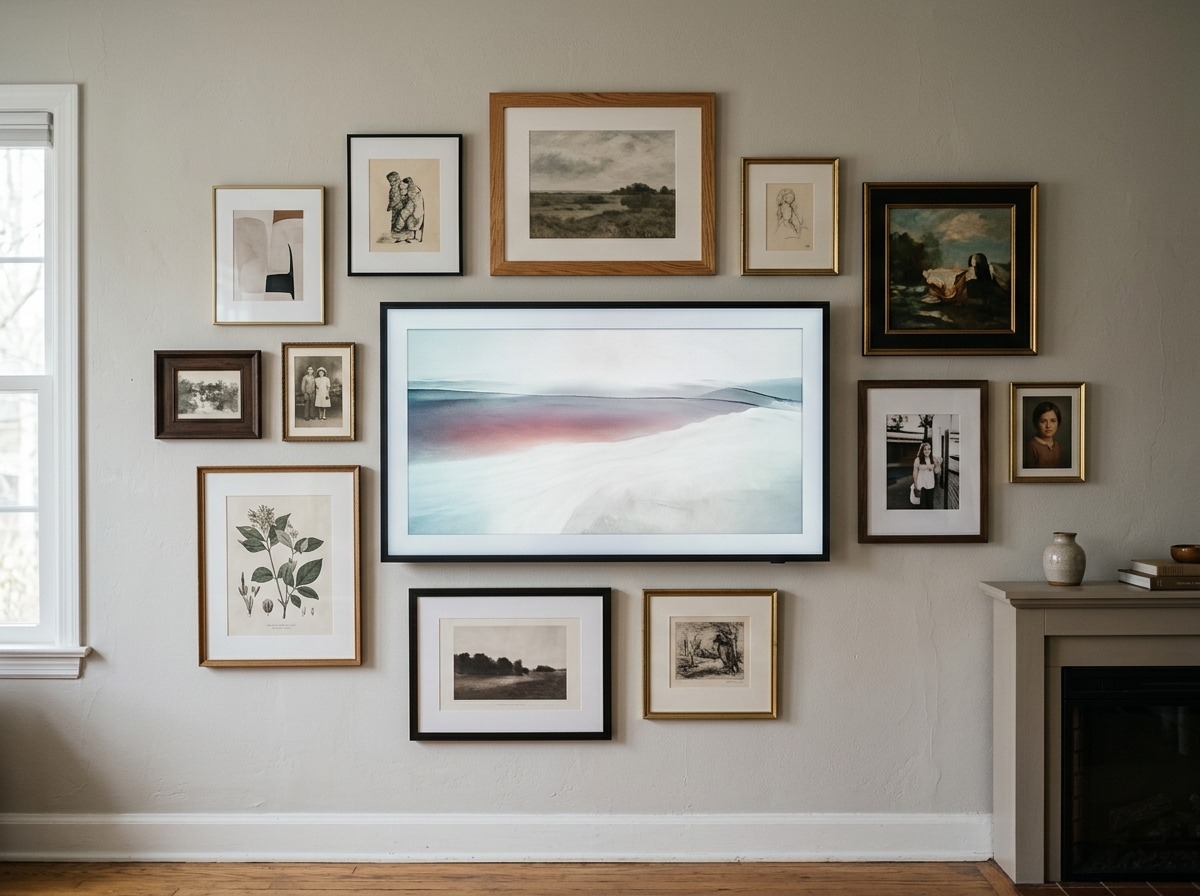
As a practical tip, always use a stud finder. Even though the Slim Fit Wall Mount is lightweight, the combined weight of the TV and any Customizable Bezels requires a secure attachment to the home’s framing to prevent sagging over time.
Advanced Mechanics and Longevity
Operating a display 24/7 in Art Mode raises questions about energy consumption and heat. Modern lifestyle TVs utilize a Motion Sensor to mitigate these issues; the screen only displays art when it detects movement in the room and shuts off completely when the room is empty. In terms of power, displaying art uses significantly less energy than active TV watching, as the AI Quantum Processor 4K optimizes the backlight for static images.
For installations involving a Drop Down TV Lift or recessed niches, heat management is critical. Integrated cooling systems for enclosed setups are designed to move 15 cubic feet of air per minute, ensuring the electronics do not overheat. If you are mounting the TV above a fireplace, ensure the mantel is deep enough to deflect heat, or consider a specialized mount that keeps the screen away from the rising thermal column to protect the internal QLED Technology.
Conclusion: The Future of the Digital Canvas
TV & Picture mounting represents the ultimate evolution of the lifestyle collection, where QLED Technology and AI Quantum Processor 4K power serve the interior design of the home rather than dominating it. By moving away from bulky brackets and visible wires, homeowners can create a sophisticated environment where the television is a contributor to the room’s beauty rather than a distraction.
Whether you are building a vast digital gallery or simply want a cleaner living room, the key lies in the hardware. Always prioritize a Flush Mount, utilize the One Connect Box for cable management, and follow gallery height standards. When done correctly, the transition from a high-octane cinema screen to a classic oil painting is seamless, proving that technology and art are no longer mutually exclusive.
FAQ
- What is the Samsung Frame TV?
The Samsung The Frame is a 4K QLED television specifically engineered to mimic a physical picture frame. It features a specialized matte, anti-reflective screen and a dedicated Art Mode that displays high-resolution digital art or personal photos when the TV is not in use, allowing it to blend into home decor seamlessly. - How do I install a Frame TV to look like real art?
To achieve the art look, you must use the Slim Fit (No-Gap) wall mount to ensure the TV sits flush against the wall. Additionally, use the One Connect Box to relocate all input wires away from the screen and snap on a customizable bezel in a wood or metal finish that matches your room’s style. - Can you upload your own photos to the Frame TV?
Yes, users can upload their own high-resolution images using the Samsung SmartThings app or a USB drive. The software allows you to add various digital ‘mats’ (borders) to your photos, which helps them look like professionally framed photography rather than a digital slideshow. - What is the best height to mount a picture frame TV?
For the most realistic appearance, follow art gallery standards by mounting the center of the screen approximately 57 to 65 inches from the floor. This height is optimal for both standing art appreciation and comfortable seated viewing in most residential living rooms. - How do I hide wires for a wall-mounted TV?
For The Frame TV, use the 5mm One Invisible Connection cable, which can be run to a remote One Connect Box. For standard TVs, you should install a recessed in-wall cable management kit (like those from Legrand or Sanus) to hide power and HDMI cables behind the drywall. - Does Art Mode consume a lot of electricity?
Art Mode is designed for efficiency, utilizing a motion sensor to turn the display off when no one is in the room. While it does consume more power than a completely powered-off TV, the energy usage is significantly lower than during active video playback due to optimized brightness settings. - How much does a TV art cover weigh?
While the TV itself is relatively light, adding a custom decorative art cover or a heavy-duty external frame can add significant weight. A 65-inch custom frame can weigh upwards of 85 lbs, necessitating the use of heavy-duty toggle bolts or direct mounting into wall studs. - Can The Frame TV be installed over a fireplace?
Yes, it can be installed over a fireplace, but heat protection is vital. You must ensure your mantel blocks direct heat from reaching the screen. Alternatively, use a specialized mount like a MantelMount, which allows you to move the TV to a safer viewing position away from the heat source.